 Share
Share


 Copy Url

Professional PowerPoint slide design can turn a simple presentation into a clear and engaging business story. A well-designed slide presentation does more than hold text. It guides the audience. It highlights key ideas. And it helps people remember what they see.
Many teams still build slides quickly using a basic PowerPoint template or the default layouts in Microsoft PowerPoint. That works for simple updates. However, when the goal is to impress a client, win an investor, or present a strong business presentation, the design must do more. A clean layout, strong visual structure, and the right graphic elements make the message easier to understand.
Good design also improves how your brand looks. Consistent fonts, colors, and images create a professional feel. Charts, tables, and timelines make data easier to read. As a result, the PowerPoint presentation becomes more than a collection of slides. It becomes a polished deck that supports the speaker and keeps the audience engaged.
This is where professional PowerPoint slide design becomes valuable. Experts know how to shape content into clear visuals. They know how to organize information so every slide works hard. The result is a high-quality, visually appealing presentation that feels structured and professional. Instead of distracting the audience, the slides support the message and help it land with impact.
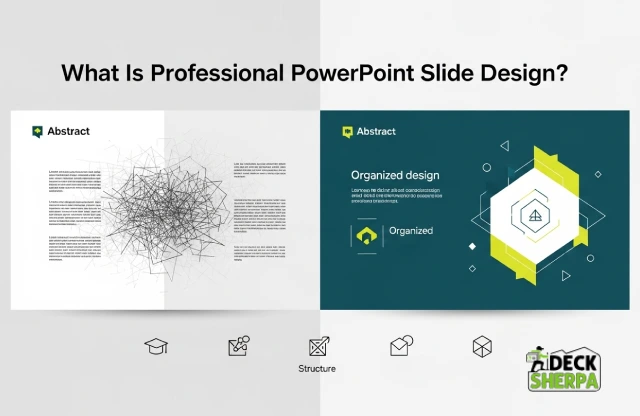
Presentations appear everywhere in modern business communication. Teams use them for proposals, reports, and client meetings. Yet not every slide tells the story well. Understanding professional PowerPoint slide design helps explain why some presentations feel clear, polished, and easy to follow.
At its core, presentation design is the thoughtful arrangement of text, images, and graphics so information becomes easier to understand. It focuses on structure, clarity, and visual balance rather than decoration. A well-designed PowerPoint presentation uses a clean layout, clear typography, and a consistent theme across the entire deck.
This approach blends storytelling with visual structure. Designers organize ideas so each slide carries a single message. Fonts, colors, and spacing remain consistent. Charts, tables, or icons appear where they support the message. When everything works together, the presentation feels polished and professional. Research on presentation design also shows that clear visuals help audiences process information faster and understand complex ideas more easily.
Many slides act like digital notes. They contain long paragraphs and crowded bullet lists. These slides simply hold text, but they rarely communicate ideas clearly.
Visual communication works differently. It uses images, diagrams, and graphics to show meaning quickly. Instead of reading heavy paragraphs, audiences understand the message through visuals and structure. Presentation software such as Microsoft PowerPoint or Google Slides allows designers to turn written ideas into charts, timelines, and visual stories.
Design plays a quiet but powerful role in a business presentation. First, it helps organize information. A strong template or customizable structure guides how each slide looks and flows. This keeps the presentation easy to follow.
Second, design supports the speaker. Clear visuals highlight key points while the presenter explains the details. As a result, the audience stays focused on the message rather than struggling to read crowded slides.
Weak slides often cause confusion. Too much text, cluttered layouts, and inconsistent fonts make information harder to read. Poor graphic choices and random colors can also distract the audience.
Confusing slides slow people down. They must work harder to understand the content. In contrast, a clean and visually structured presentation helps viewers grasp ideas quickly and keeps their attention on the story being shared.
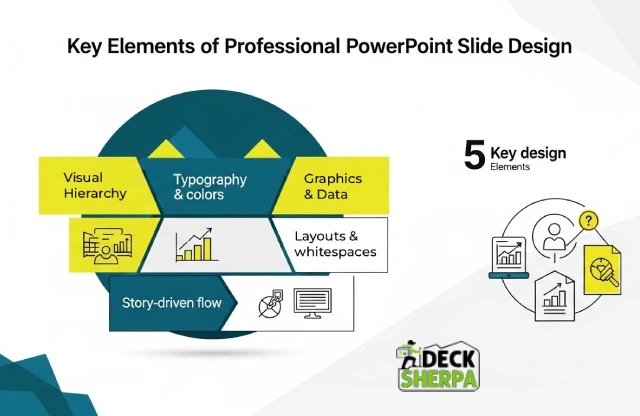
A polished presentation rarely happens by accident. Good slides follow a few design principles that make information easy to read and remember. These elements shape how a PowerPoint presentation looks, feels, and flows. Together, they form the foundation of professional PowerPoint slide design.
Visual hierarchy simply means guiding the viewer’s eyes in the right order. The title usually appears first. Supporting points follow. Then visuals reinforce the message.
In a sales deck or pitch deck, for example, the headline might highlight the main value proposition. Supporting text explains the idea. A chart or image shows proof. This structure keeps the slide presentation clear and focused. Viewers quickly understand what matters most.
Typography and color play a quiet but powerful role in design. When the same fonts and color palette appear across every slide, the presentation feels organized and credible.
In a corporate or marketing presentation, these choices often follow the company brand guidelines. The same heading style, accent colors, and gradient backgrounds may repeat throughout the template. This consistency builds familiarity. It also helps audiences recognize the company behind the message.
Complex information becomes easier to understand when visuals support the message. Graphic elements such as icons, charts, or diagrams simplify ideas that would otherwise require long explanations.
In an investor update or report, for instance, a table or chart can explain financial growth in seconds. In a profile presentation, icons can highlight services or capabilities. Visual elements help the audience absorb information quickly.
A good layout leaves room to breathe. When slides feel crowded, readers struggle to focus. White space solves this problem. It separates sections and highlights key information.
Balanced slides also improve readability. Headings sit clearly above text. Images align neatly beside content. Many modern presentation templates include smart placeholder areas so presenters can easily edit and customize slides without losing visual balance.
Strong presentations follow a story. Each slide builds on the previous one. Together, they create a clear narrative from start to finish.
This structure works well in business presentation formats such as sales proposals, company profiles, or investor decks. A typical flow might introduce the problem, explain the solution, and then present results or impact. When the story flows smoothly, the audience stays engaged and the message becomes easier to remember.

Audience attention is fragile. In many meetings, people decide within seconds whether a presentation is worth their focus. Clear visuals and thoughtful structure can change that reaction. Professional PowerPoint slide design helps presentations feel organized, engaging, and easier to follow.
Visual elements make complex ideas easier to grasp. Icons, diagrams, and charts show relationships that paragraphs of text cannot explain quickly. Studies show that visual aids improve comprehension and help audiences process information faster than words alone.
Consider an investor meeting. A growth timeline or chart can show progress in seconds. In a portfolio review or report, a well-designed table or chart explains numbers clearly. Visual content allows viewers to see patterns instantly instead of reading long explanations.
Cluttered slides overwhelm people. When too much information appears on one slide, the brain struggles to process it. Researchers describe this as cognitive overload. Simple visuals and organized content reduce that mental effort and help people focus on the message.
Clean slides often include fewer words and stronger visuals. A simple image, a short heading, and a few key points can work far better than dense text. This approach helps audiences stay engaged during long PPT discussions or corporate presentations.
People remember stories better than scattered facts. A good slide sequence builds a clear narrative. One slide introduces the idea. The next shows evidence. Then the presentation moves toward a solution or outcome.
This flow works well in a pitch deck or proposal. The customer problem appears first. The solution follows. Finally, the results or value appear. Structured storytelling helps audiences follow the journey and remember the key message after the presentation ends.
Well-designed slides also help the presenter. They act like visual cues that guide the conversation. The speaker does not need to read long paragraphs. Instead, the slide highlights the main idea.
In a boardroom presentation or sales discussion, this clarity builds confidence. The presenter can focus on explaining the story while the slides showcase the data and visuals. As a result, the entire slide presentation feels smoother and more professional.

Presentations often influence important decisions. A board update can shape strategy. A proposal can win a new client. Because these moments matter, many organizations rely on professional PowerPoint slide design instead of building slides quickly in-house.
Large companies often create many presentations each month. These may include marketing decks, corporate updates, or customer proposals. Without a clear design system, every PPT file can start to look different.
Professional design helps maintain consistency. Colors, fonts, and themes follow the same brand identity across every slide. Designers often build a reusable PowerPoint template that keeps the slide presentation aligned with the company’s visual style. Consistency like this helps businesses look organized and credible.
Creating polished slides takes time. Leaders and consultants often spend hours adjusting fonts, spacing, or charts before an important meeting. This effort pulls them away from strategy and planning.
When experts handle the PowerPoint design, executives can focus on shaping the message. Designers work on the visual structure while teams concentrate on the content. Many organizations choose this approach because it improves productivity and frees internal teams to focus on core work.
Some presentations carry higher stakes than others. These include investor meetings, board reviews, product launches, and major sales pitches. In these settings, the presentation often represents the company itself.
A well-designed deck helps present ideas clearly. Clean visuals, strong graphics, and thoughtful structure can make complex ideas easier to explain. As a result, decision-makers stay focused on the message rather than struggling to interpret the slides.
Many organizations create dozens of presentations every year. Teams may need slides for training, customer demos, sales discussions, or internal updates. Managing this volume internally can become difficult.
Working with design specialists allows companies to scale. Agencies can generate new slides, refine existing files, and keep every business presentation consistent. Over time, they can also build fully editable and versatile templates that teams can easily reuse and customize when needed.

Many companies eventually realize that strong presentations require more than a quick template. A reliable partner can bring structure, clarity, and polish to every presentation. Choosing the right team ensures that professional PowerPoint slide design supports important business communication without adding pressure to internal teams.
A good presentation partner understands how business communication works. Sales meetings, board reviews, and corporate updates all require a different tone and structure. Agencies with experience in business presentation design understand how to organize information clearly and present it with confidence.
They also understand how to shape a PowerPoint presentation so it aligns with a company’s brand. Fonts, colors, and visuals follow the same style across every slide. This consistency helps organizations maintain a professional image when presenting to clients, partners, or leadership teams.
Strong designers do more than decorate slides. They turn written content into clear visual stories. Numbers become charts. Complex processes become diagrams. Messages appear through thoughtful visual structure rather than long paragraphs.
In a pitch deck or company profile, for example, the message flows naturally from problem to solution. Well-placed graphics and attractive visuals help the audience follow the story. This balance between design and messaging makes presentations easier to understand and more memorable.
Business presentations often come with tight timelines. A sales meeting may appear suddenly. A product launch might need a last-minute update. Reliable presentation partners know how to respond quickly without reducing quality.
Experienced teams use proven workflows and editable professional templates that allow them to create stunning slides efficiently. The result is a polished slide presentation that still meets the deadline.
Some organizations produce presentations every week. Sales teams prepare proposals. Marketing teams present campaigns. Leadership teams share updates with stakeholders. Managing this volume internally can become difficult.
A dedicated design team can support this ongoing work. Specialists refine slides, adjust visuals, and maintain a consistent design platform across files. Many companies choose partners like Deck Sherpa because they provide continuous support for presentations such as sales decks, investor pitch decks, product launches, and company profile presentations.
Outsourcing often becomes useful during high-stakes moments. These may include large tenders, boardroom presentations, or important client pitches. In these situations, the presentation needs to look polished and convincing.
External specialists can review the PPT file, improve the layout, and elevate the visuals so the message stands out. This extra attention can make a meaningful difference when the audience must make a decision.
At Deck Sherpa, we help organizations present ideas clearly and professionally. Our team supports many types of presentations, including sales decks, product launch presentations, and detailed investor decks.
We refine the PowerPoint design, strengthen the visual structure, and ensure every slide communicates the message clearly. As a result, businesses receive presentations that look polished, stay consistent with their brand, and help them present with confidence.

A strong presentation does more than look good. It helps people understand your ideas faster. It keeps attention where it belongs. It also helps your brand appear clear, polished, and credible. That is why professional PowerPoint slide design matters so much. It turns a basic PPT or PowerPoint presentation into a sharper communication tool.
Good slides support big moments. They help in investor meetings, sales conversations, board reviews, and product launches. They make complex ideas easier to follow through a cleaner layout, stronger visual flow, and more thoughtful PowerPoint design. They also help teams present with more confidence. When the story is clear, the audience stays with you. When the design is polished, the message feels stronger. That first impression can shape how a company, proposal, or deck is received.
If you want presentations that feel sharper, smarter, and more effective, Deck Sherpa can help. We are a leading presentation design agency in India with over two decades of experience creating high-quality, custom presentations for business needs. You can explore our Showcase and Services pages on our website, call us on 1800 121 5955 in India, or email contact@decksherpa.com. We are also available on WhatsApp, and you can share your project details through the Contact Form on the website.
Share
Copy Url
Share
Copy Url
Share
Copy Url

